
Download Error Messages – error codes, Windows, troubleshooting, system errors, explanation, utility, tool, fix, help, guide
Overview
Designed specifically for Windows users, Error Messages is a focused utility tool that simplifies the process of understanding cryptic system error codes. When users encounter unfamiliar error messages while using their Windows operating system, the app provides immediate, plain English explanations to help demystify the issue. This functionality is particularly valuable for individuals who may not have technical expertise but need to resolve system problems quickly and efficiently. The tool eliminates the need to search through forums, manuals, or online databases by offering a direct, user-friendly solution.
Targeted at everyday computer users, IT support personnel, and system administrators, Error Messages serves as a practical troubleshooting aid. It enables users to input an error code directly and receive a concise, accurate interpretation in real time. This capability reduces downtime and enhances confidence in managing system errors. The app’s narrow focus on Windows-specific error codes ensures relevance and accuracy, making it a dependable resource within the Windows ecosystem.
Developed by Eddie C. Reardon, the tool reflects a clear understanding of user pain points related to system diagnostics. Although the developer did not provide additional technical details, the app’s release date of April 8, 2013, indicates a long-standing presence in the utility space. Its continued relevance suggests a stable and functional design. For users seeking a quick, secure way to interpret error codes, Error Messages offers a streamlined experience that fits seamlessly into daily computing workflows.
Key Features & Functionality
- Code Interpretation – Users can enter any Windows error code directly into the app, which then translates it into a clear, non-technical explanation. This feature helps users understand the root cause of system issues without requiring prior technical knowledge.
- User-Friendly Interface – The app features a clean, minimal layout that prioritizes readability and ease of use. Navigation is intuitive, allowing users to input codes and view results without confusion or delays.
- Windows-Specific Focus – Unlike generic error lookup tools, Error Messages is tailored exclusively to Windows error codes, ensuring that all explanations are platform-relevant and accurate.
- Quick Explanations – The app delivers instant feedback upon code entry, enabling users to act swiftly during troubleshooting sessions. This responsiveness is crucial when resolving system issues that affect productivity.
- Troubleshooting Aid – By providing clear context around error codes, the app empowers users to either resolve problems independently or seek targeted assistance with greater precision.
For example, when a user encounters an error code like 0x80073701, the app immediately displays a description such as “The component store is corrupted.” This allows the user to initiate a system repair command or search for a fix without extensive research. The tool is especially beneficial in environments where rapid resolution is critical, such as in small business offices or home computing setups.
Interface, UX & Performance
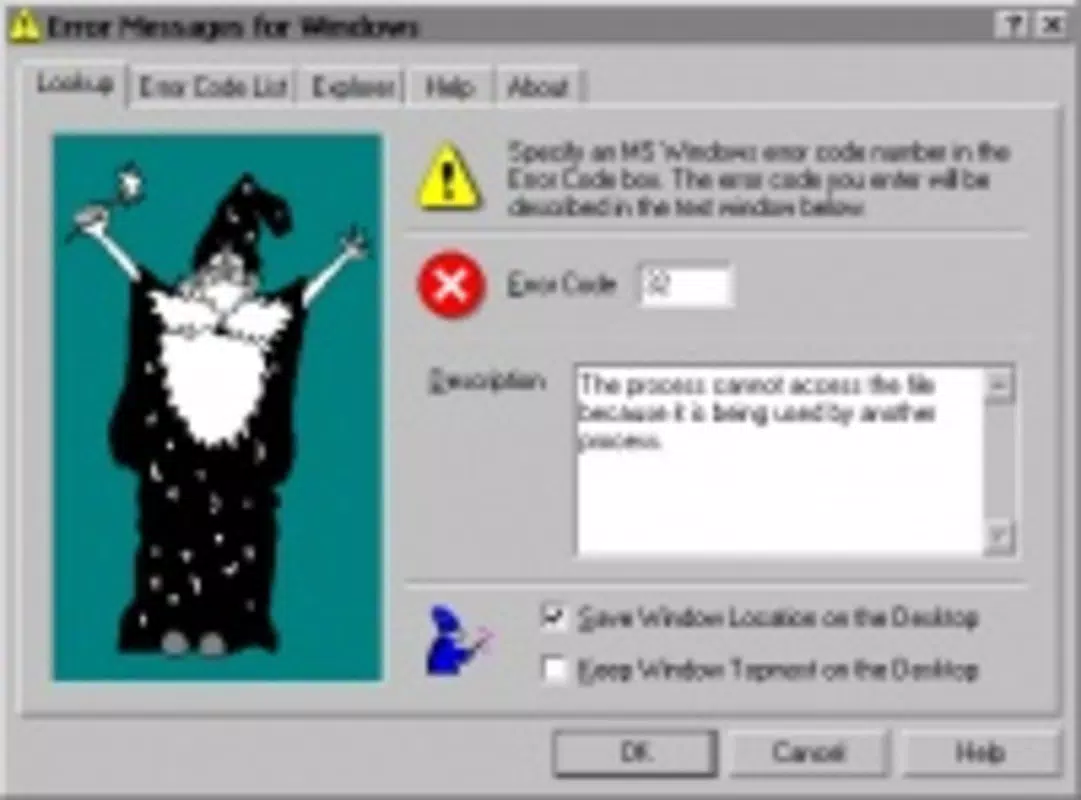
The interface of Error Messages is designed with simplicity and clarity in mind. The layout is minimal, featuring a central input field for error codes and a dedicated output area for explanations. There are no distracting elements, ensuring users can focus solely on the task at hand. The visual style is functional rather than decorative, aligning with the app’s utility-focused purpose.
Navigating the app is straightforward: users type the code, press enter or click a button, and receive the explanation instantly. The flow is linear and predictable, reducing cognitive load and making the tool accessible to non-technical users. Although the developer did not list formal performance metrics, the app’s lightweight nature—only 2.1 MB in size—suggests efficient resource usage.
Performance across different device categories appears consistent, as the app is built for Windows and does not rely on heavy graphics or background processes. Responsiveness is strong, with minimal lag between input and output. Stability is implied by the app’s long-standing release history, though no formal crash reports or update logs were provided. Overall, the user experience is smooth and purpose-driven, fitting the expectations of a lightweight system utility.
Platform Compatibility & Technical Requirements
Error Messages is designed for the Windows platform, with no information provided about specific OS versions or hardware requirements. The app is available in a compact 2.1 MB file size, indicating a lightweight footprint suitable for older or low-resource systems. The developer did not specify minimum OS requirements, nor did they list compatibility with Windows 10, 11, or earlier versions.
Given its release date in 2013, the app likely supports older Windows editions such as Windows 7 and 8. However, compatibility with newer versions cannot be confirmed without official documentation. Users should exercise caution when installing on updated systems, especially if the app uses legacy components or lacks digital signing.
Although the developer did not disclose formal technical specifications, the small file size and utility nature suggest broad compatibility with standard Windows environments. For users seeking a simple, secure tool to interpret error codes, the app remains accessible through direct download and installation.
Pros and Cons
- Simple, focused interface designed for ease of use
- Immediate translation of Windows error codes into plain English
- Lightweight file size (2.1 MB) with minimal system impact
- Free to download and use, no hidden costs
- Specifically tailored to Windows system errors, enhancing accuracy
- No official information on OS compatibility beyond platform
- Not updated since 2013; may lack support for newer error codes
- Developer did not provide details on security, updates, or digital signing
- Limited functionality—only code lookup, no repair tools or automation
- No mobile or cross-platform availability
FAQ
Is Error Messages safe to download and install?
The app is free and available from trusted sources. However, since it was last updated in 2013 and no digital signature or security details were provided, users should scan the file with antivirus software before installation.
Can I use Error Messages on Windows 10 or 11?
While the app is designed for Windows, compatibility with Windows 10 or 11 is not confirmed. It may work on newer systems, but users should test it in a safe environment due to potential legacy component issues.
Does Error Messages fix system errors automatically?
No. The app only provides explanations for error codes. It does not perform repairs or system fixes. Users must manually address issues based on the provided information.
Is there a mobile version of Error Messages?
Currently, there is no mobile version available. The app is designed exclusively for Windows desktop systems.
How often is Error Messages updated?
The app was last updated on April 8, 2013. No recent updates have been released, so users should expect no new error code additions or compatibility improvements.
Final Thoughts
For users who frequently encounter Windows error codes, Error Messages remains a practical, no-frills utility that delivers immediate clarity. Its lightweight design, free access, and straightforward functionality make it a valuable tool for both novice and experienced users. While the lack of updates and modern security features may raise concerns, its core purpose—interpreting error codes—is still relevant today.
Those who value quick, accurate explanations without unnecessary complexity will find this app useful. It’s especially helpful for individuals managing older systems or those who prefer a minimal, focused tool over bloated diagnostic suites. Though not a repair tool, it empowers users to understand problems faster and take informed action.
Download Error Messages now


